
Behaviour Tree
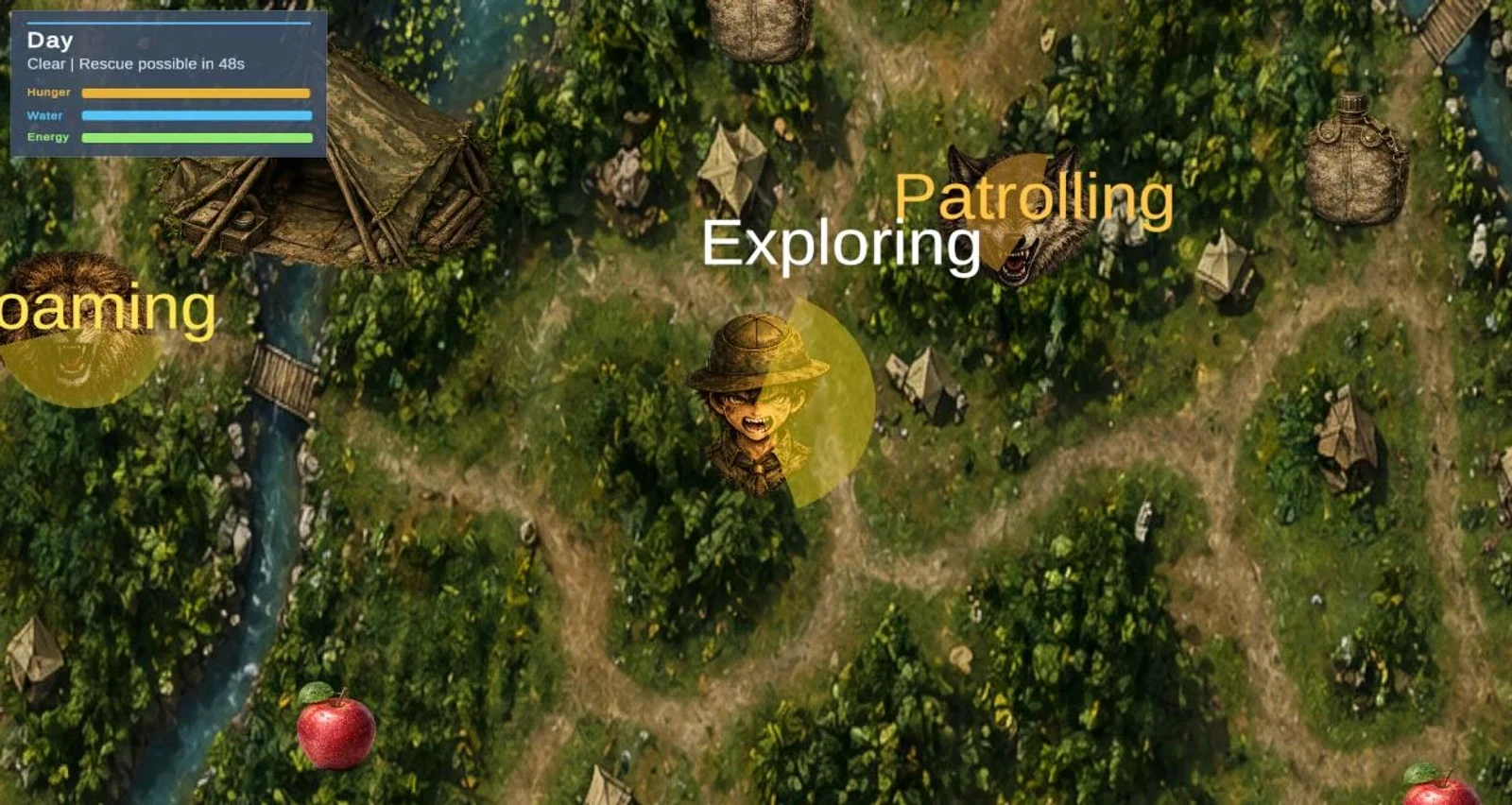
ScoutBrain uses selector/sequence trees. Higher-risk branches pre-empt lower ones each tick - predator danger can interrupt food search.
Academic case study · CS6P05ES · Game development
A playable Unity 2D intelligent-agent survival game. The AI scout manages hunger, water, and energy under partial observability - behaviour trees, perception, and memory - not a fixed cutscene script.
Direct download of the Windows standalone build. Extract and run LostBoyScoutAdventure.exe beside UnityPlayer.dll and the data folder. Executable: LostBoyScoutAdventure.exe.
Module
CS6P05ES Artificial Intelligence
Engine
Unity 6000.3.10f1
Language
C#
Original Unity gameplay embeds extracted from the CS6P05ES report / user manual (pdfimages) - not screenshots of PDF pages.
Engine
Unity 6
Editor 6000.3.10f1
Agent focus
Scout AI
Perception · BT · Memory
Predators
2
Wolf (L1) · Wolf+Lion (L2)
Outcomes
Multi
Exit · Rescue · Multiple lose paths
Lost Boy Scout Adventure (coursework title also uses Scout vs Wolf: Intelligent Agent Survival Game) is a Unity survival simulation focused on autonomous AI behaviour. The scout senses the environment, updates survival needs, and chooses actions based on current priorities.
Intelligent-agent coursework needs behaviour that can be observed, not a fixed animation path. The scout must sense threats and resources, manage competing survival needs, and produce different endings across runs under uncertainty.
Trust boundaries
Observable survival loop from the report's state labels - priorities shift as threats and needs change.
01
Scout wanders the jungle under Explore while hunger, water, and energy decay.
02
SearchFood / SearchWater via vision, short-range sense, and remembered pickup points.
03
Wolf (L1) or wolf+lion (L2) detect, investigate, and chase - scout can EscapeDanger.
04
Safe-zone shelter for recovery and night/rain pressure without unfair predator catches.
05
GoToExit when stats and threat allow - exit trigger is a primary win path.
06
After rescue unlock, enter the green rescue circle for an alternate win outcome.
Intelligence traits from the CS6P05ES report - behaviour tree, perception, memory, priorities, and environmental influence - shown with real evidence screenshots.
ScoutBrain uses selector/sequence trees. Higher-risk branches pre-empt lower ones each tick - predator danger can interrupt food search.
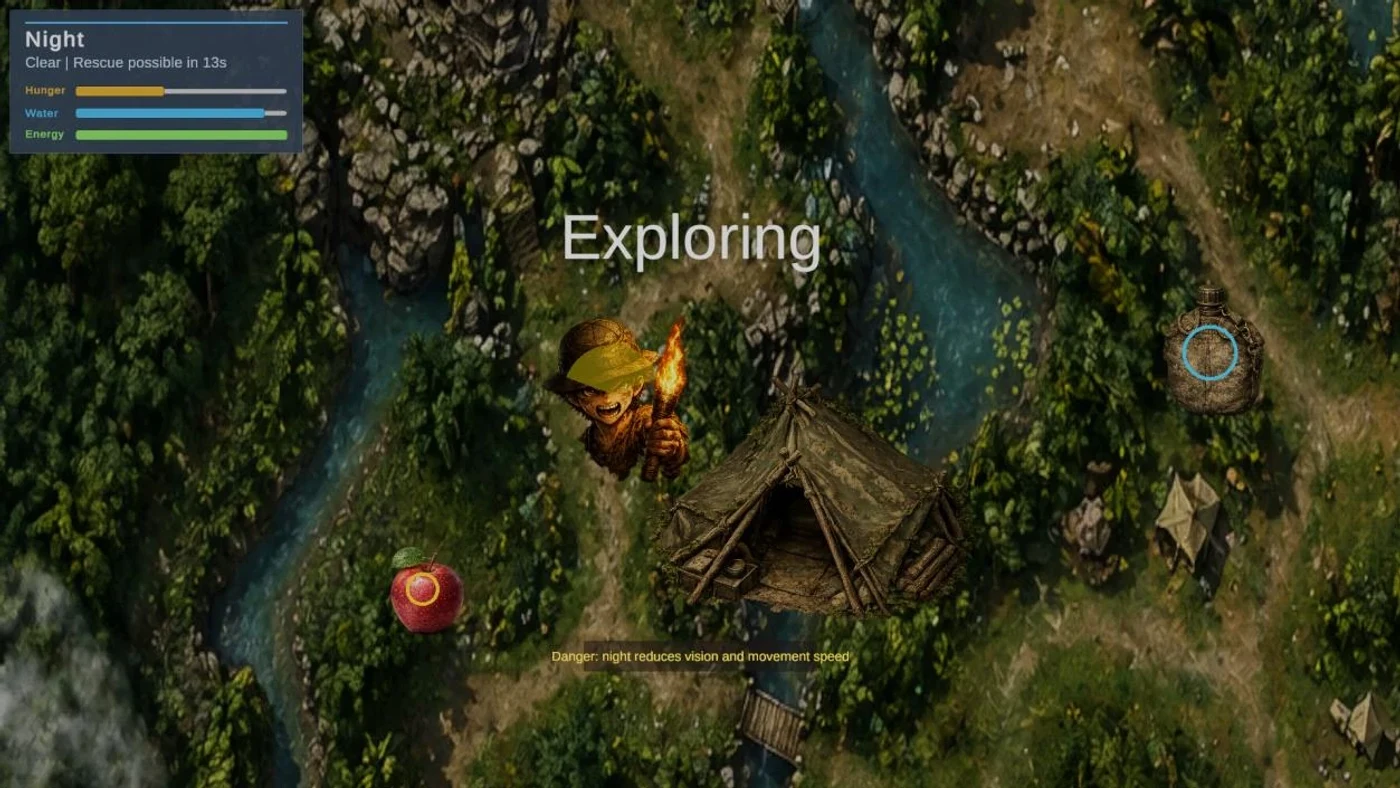
ScoutPerception limits knowledge to vision cones, hearing radius, and short-range resource sense - not full-map omniscience. Night and rain modify sensing.
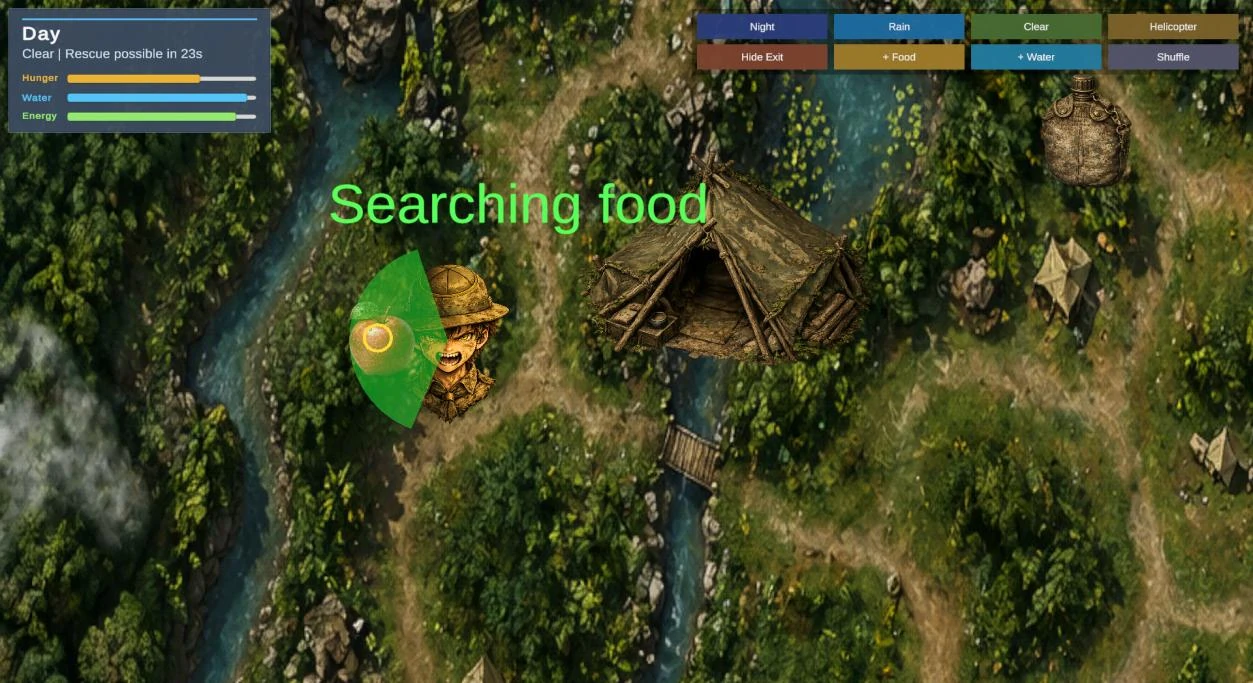
ScoutMemory stores food/water/danger points and forgets consumed resources so the scout can return to remembered locations.
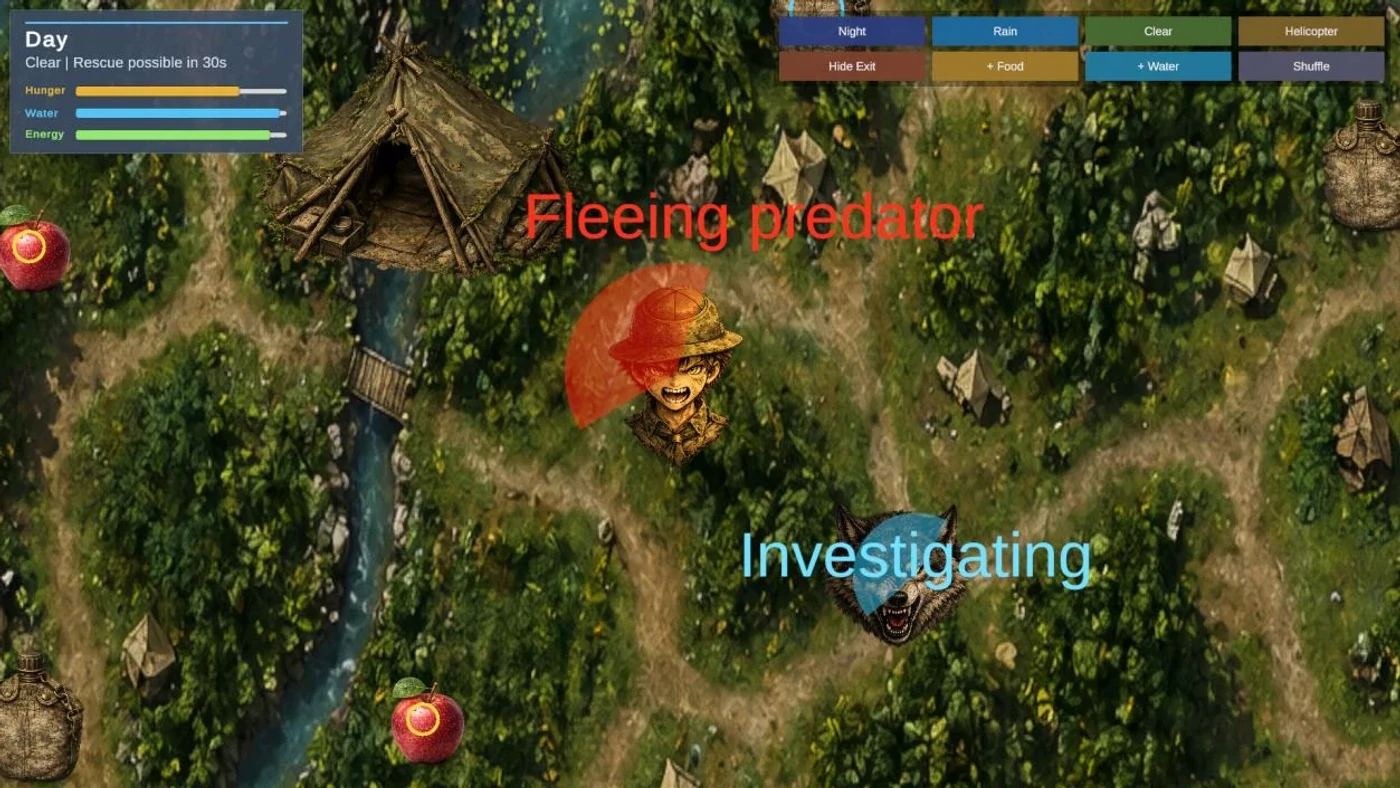
WolfBrain patrols, investigates, and chases via vision/hearing - the scout can enter EscapeDanger when the wolf closes in.
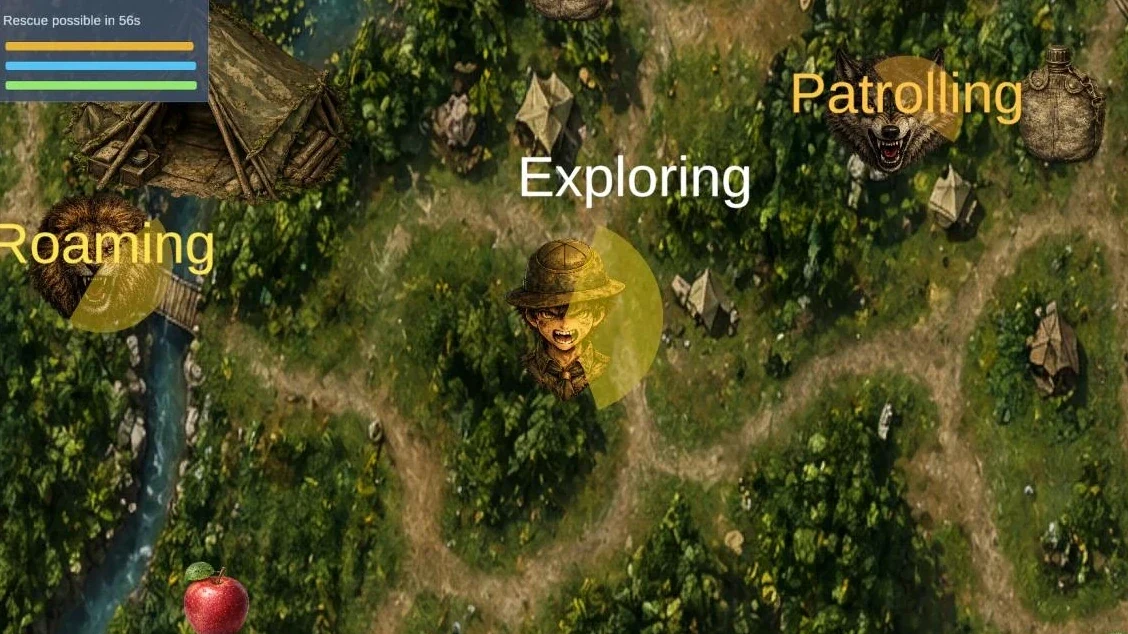
Level 2 adds LionAI alongside the wolf for dual-predator pressure with independent roam/chase behaviour.
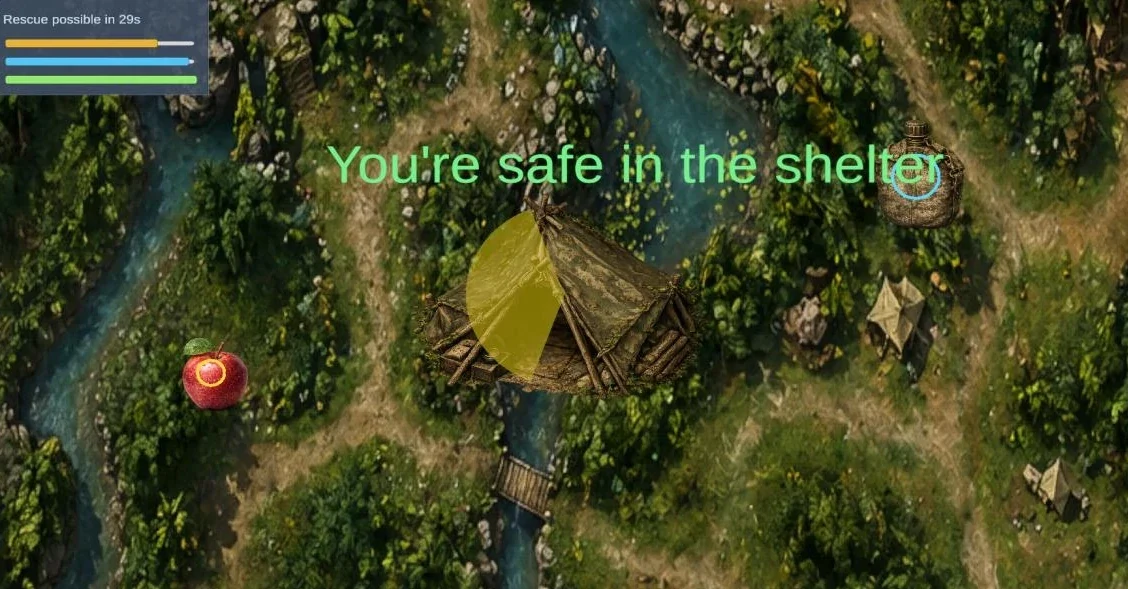
Survival needs drive SearchFood / SearchWater / shelter priorities under partial observability.
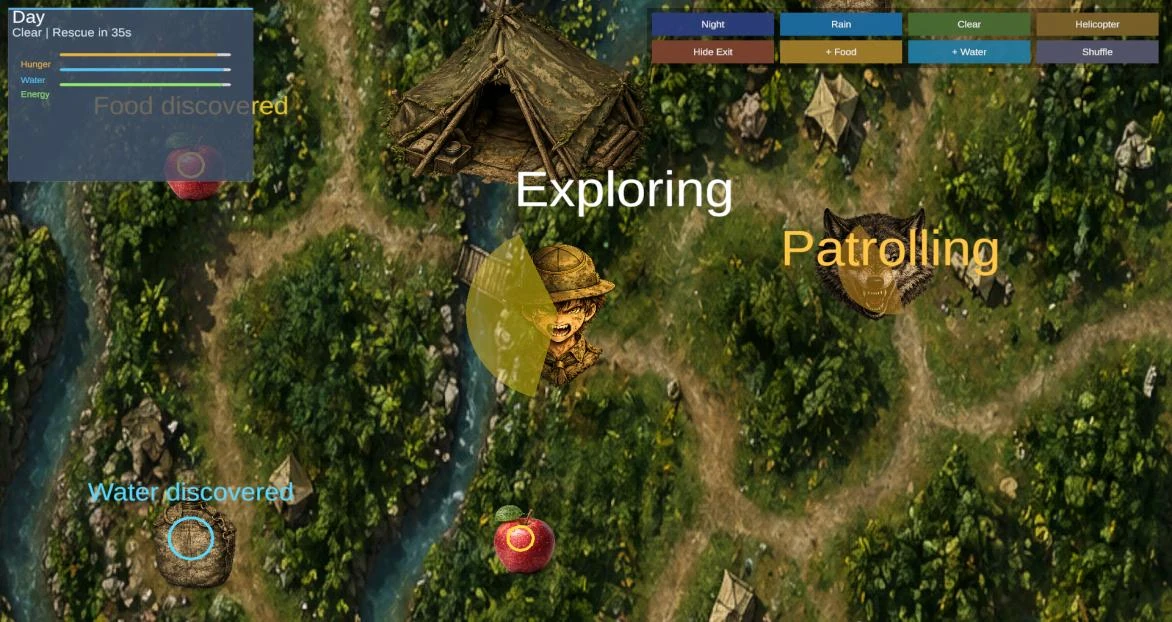
Rain and related GameManager modifiers affect sensing and movement presentation during survival runs.
Night reduces vision and movement context - torch, shelter, and HUD Day/Night status make the modifier assessable.
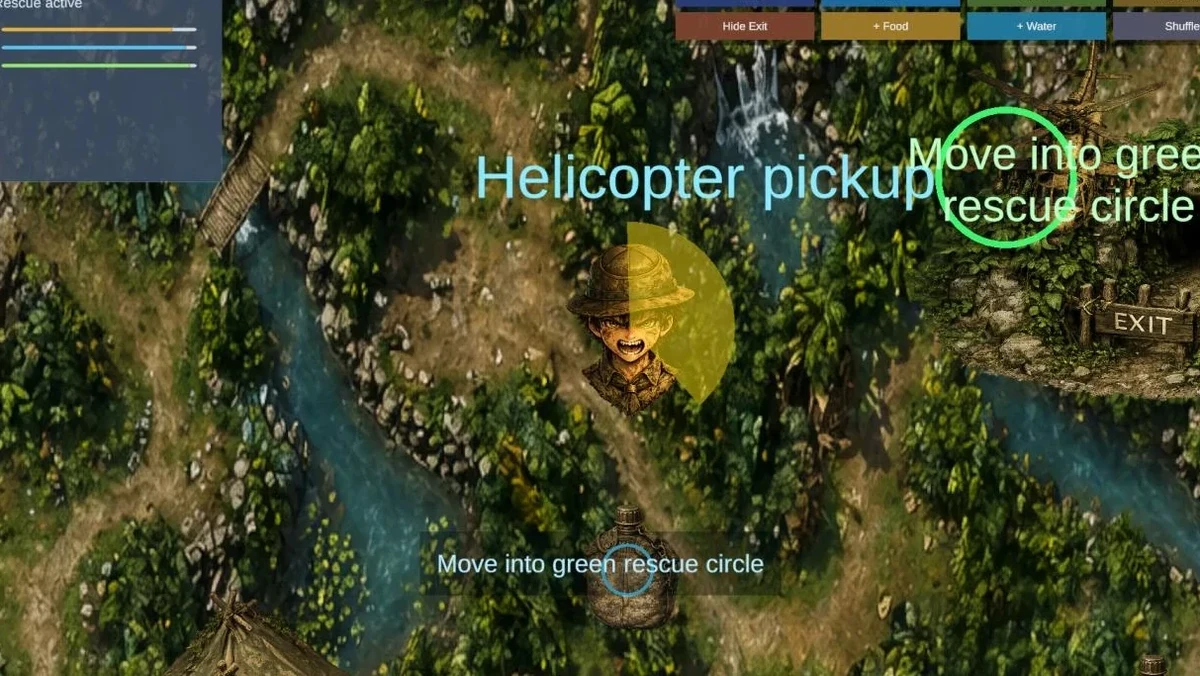
After the rescue timer unlocks, entering the green rescue circle is an alternate win path alongside the exit.
Unity 2D top-down intelligent-agent survival simulation
Story
A boy scout is lost in a jungle map and must survive by managing hunger, water, and energy while avoiding predators and seeking exit escape or helicopter rescue.
Controls
Characters
Enemies
Collectibles
Systems
01
CS6P05ES Intelligent Agent artefact - demonstrate perception, decisions, and dynamic behaviour in Unity.
02
Hungry/thirsty scout in a changing jungle with predators, shelter, exit, and rescue outcomes.
03
LostBoyScoutAdventure snapshot with FSM-style scout/wolf scripts (not the finished artefact).
04
LostBoyScoutAdventures adds behaviour trees, perception, memory, lion, menus, and HUD overlays.
05
Level 1 wolf scenario and Level 2 wolf+lion scenario for controlled predator evaluation.
06
Report, diagrams, screenshots, testing notes, and user manual for the approved individual submission.
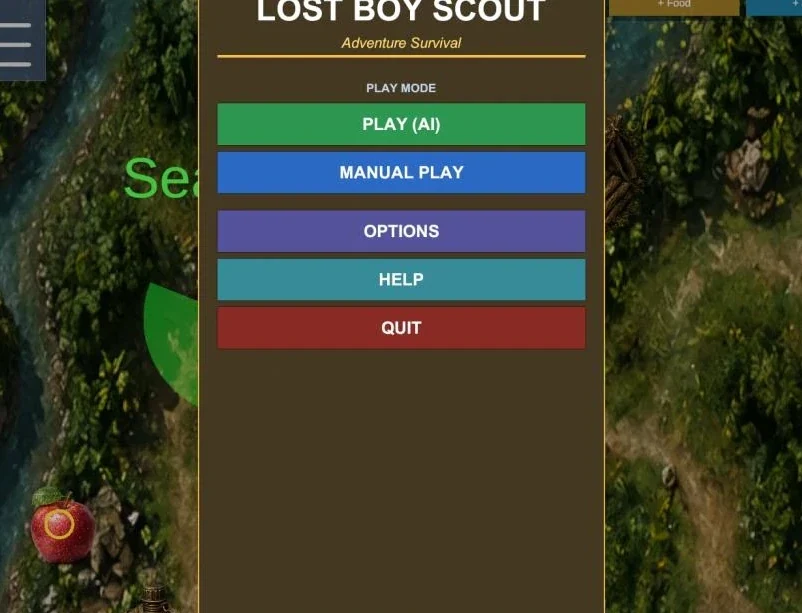
LOST BOY SCOUT - Adventure Survival opens with Play (AI), Manual Play, Options, Help, and Quit so assessors can choose autonomous or keyboard-driven evaluation.
The scout chooses actions from runtime status and sensed events through priority behaviour-tree logic rather than a fixed scripted sequence.
Level 1 focuses on the wolf; Level 2 adds a lion. Predators patrol, investigate, and chase, while the scout can enter flee behaviour when danger is detected.
Success paths include reaching the exit with safe stats or entering the helicopter rescue circle after the rescue timer unlocks. Lose paths cover starvation, dehydration, exhaustion, and predator capture.
Coursework diagrams cover scout state transitions, class structure, runtime game flow, and the P.E.A.S model used to frame the intelligent agent.
Canonical implementation lives in LostBoyScoutAdventures. ScoutAI facades a ScoutBrain behaviour tree with perception and memory; predators use WolfAI/WolfBrain and LionAI; GameManager owns world cycle, rescue timing, and win/lose; menus and HUD coordinate presentation.
Agents
ScoutAI / ScoutBrain, WolfAI / WolfBrain, LionAI, SteeringAgent.
Sensing & memory
ScoutPerception (vision/hearing) and ScoutMemory with decay and discovery feedback.
World
GameManager day/night, rain, helicopter chance, exit/rescue triggers.
Presentation
Main/pause menus, survival HUD, vision cones, action labels, debug panels.
Competing survival goals
Hunger, thirst, energy, predators, weather, shelter, exit, and rescue compete every tick - behaviour-tree priorities must stay readable and testable.
Partial observability
Vision/hearing limits and night/rain modifiers prevent omniscient pathing and force memory-backed searching.
Assessable presentation
State labels, vision cones, HUD, and menus must reveal AI reasoning without turning the artefact into a pure debug toy.
Steam-style media set from the coursework PDF and Unity captures - filter by category; lightbox with arrows, Esc, and zoom.
Real artefacts only - Windows build (Appendix E Drive link), manuals, technical report, and GitHub source.
After downloading the Windows package, keep LostBoyScoutAdventure.exe, UnityPlayer.dll, and the data folder together.
The artefact demonstrates perception, decision making, searching, memory, and status-based behaviour in a replayable Unity survival setting with alternative win and lose outcomes - a practical intelligent-agent submission backed by diagrams, screenshots, a Windows build, and the CS6P05ES report.